Computer-Based OC & Selective Tests: Preparing for the Screen
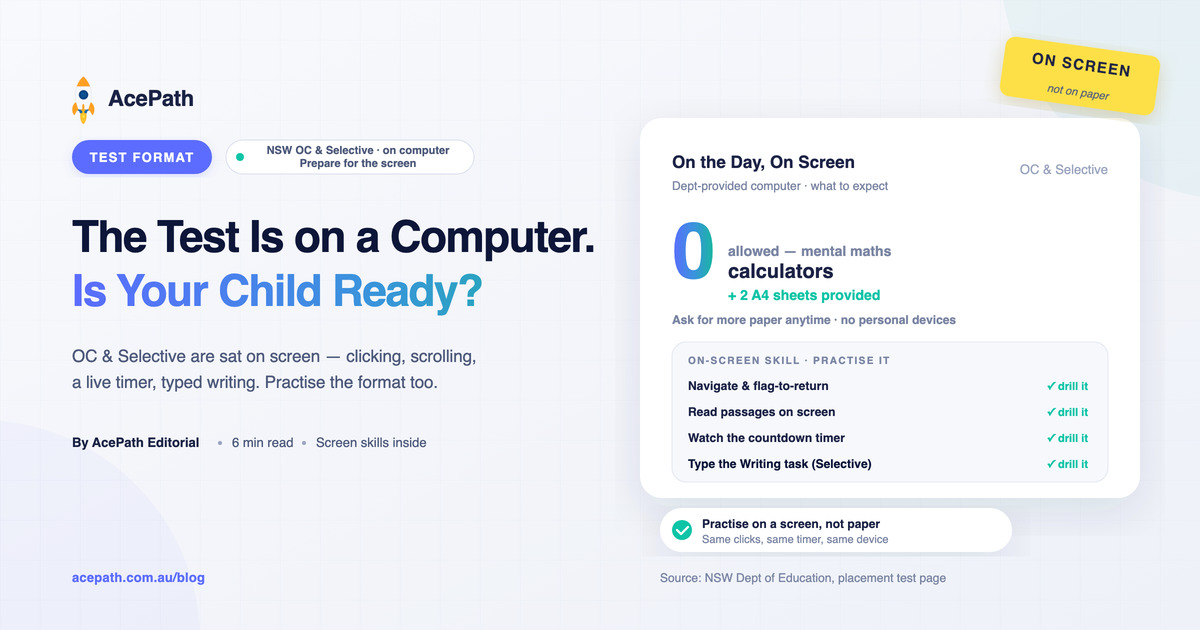
The NSW Opportunity Class and Selective High School placement tests are now sat entirely on computers provided by the Department of Education — every section is on screen, and the Selective Writing task is typed. A child can know the material cold and still lose marks simply because the screen, the clicking, the scrolling, and the on-screen timer feel unfamiliar. This guide covers what test day actually looks like on the computer and how to prepare for the format itself — not just the content.
The single most important takeaway: practise on a screen, not only on paper. The gap between a confident on-screen worker and a paper-only student is real, and it is entirely avoidable.
What "Computer-Based" Actually Means on the Day
According to the NSW Department of Education, students sit the test on computers provided by the department — your child does not bring a device. In practical terms:
- All multiple-choice sections are on screen — Reading, Mathematical Reasoning, and Thinking Skills. Your child reads the question, then clicks to choose an answer.
- The Selective Writing task is typed, not handwritten (the OC test has no Writing section).
- Navigation is on screen — students move between questions, and can flag a question to return to it later within a section.
- A countdown timer is on screen, so pacing is visible but also a source of pressure if a child hasn't practised with one.
What's Provided — and What Isn't
- Working-out paper is provided. The Department gives each student two A4 sheets at the start, and your child can ask for more if they run out. Practising maths and thinking-skills working on paper while reading from a screen is a specific skill — drill it.
- Calculators are not allowed. Every calculation is done mentally or on the scrap paper. If your child has leaned on a calculator at home, wean them off it now.
- No personal devices, notes, or phones. Everything happens on the provided computer and paper.
The On-Screen Skills to Actually Practise
1. Reading long passages on a screen
Reading comprehension on a monitor is harder than on paper — there is scrolling, no highlighter, and more eye strain. Have your child practise reading full passages on screen and answering without printing them out.
2. Flag-and-return, not freeze-and-stall
The ability to flag a hard question, move on, and come back is one of the biggest advantages of the digital format — but only if your child uses it. Practise the habit: stuck for more than a moment, flag it, move on, and revisit with the time you've saved.
3. Working on paper while the question is on screen
With no calculator and the question on the monitor, your child has to glance up, work on the A4 sheet, and transfer the answer back. Keeping that paper organised — one problem per space, clearly numbered — saves time and prevents silly transcription errors.
4. Typing the Writing task (Selective)
The typed 30-minute Writing task rewards children who can plan and type fluently under time. Slow, hunt-and-peck typing eats minutes that should go to thinking. We cover this in depth in the Selective Writing task guide.
5. Watching the timer without panicking
An on-screen countdown helps pacing, but only if it's familiar. Practising full sections with a visible timer turns it from a stress trigger into a useful tool.
Common Format Mistakes That Cost Marks
- Only ever practising on paper, then meeting the screen cold on test day.
- Never using flag-and-return, so a single hard question drains time and confidence.
- Forgetting there's no calculator and freezing on mental arithmetic.
- Not asking for more paper when the two sheets run out — students can and should.
- Slow typing quietly shrinking the effective time on the Writing task.
- Ignoring the timer in practice, then being rattled by it on the day.
How to Prepare for the Format
- Do the official familiarisation first. The NSW Department of Education publishes online practice tests for both OC and Selective — use these so the real interface feels familiar.
- Move practice onto a computer. Once your child knows the content, shift timed practice to a screen with a mouse and keyboard, mirroring the real format.
- Pair screen questions with paper working. Keep the A4-sheet habit for every maths and thinking-skills set.
- Build typing into the routine for Selective candidates — short, timed, typed writing pieces.
- Always run a visible timer so pacing becomes automatic.
Frequently Asked Questions
Is the OC test on a computer too, or just Selective?
Both. The OC and Selective placement tests are computer-based, sat on department-provided computers. The OC test has three on-screen multiple-choice sections; the Selective test adds a typed Writing task.
Can my child bring a calculator?
No. Calculators are not allowed. All working is done mentally or on the scrap paper provided.
Is scrap paper provided for working out?
Yes. Each student is given two A4 sheets at the start and can ask for more during the test.
Is the Writing handwritten or typed?
Typed. The Selective Writing task is done on the computer, so typing practice matters. See how Selective scores are calculated for how Writing fits into the total.
Does the computer format change what my child should study?
The content and the Cambridge-style question types are the same. What changes is the delivery — so add on-screen and typing practice on top of your normal content preparation.
Where to Confirm the Official Details
Test arrangements can be refined year to year — confirm the current rules and access the official practice tests through:
- The NSW Department of Education selective high schools and opportunity classes pages at education.nsw.gov.au, including the placement test and online practice test pages
- Official communications sent to you after you apply
Get Your Child Comfortable on the Screen
Content is only half the battle — the format is the other half. Start with a free AcePath sample quiz on a computer to see how your child handles on-screen questions across Reading, Mathematical Reasoning, and Thinking Skills, then build the habit with our OC and Selective practice packs, which mirror the real computer-based format so test day feels like just another practice session.
Start Practising Today
Try a free sample quiz to experience AcePath's exam-style practice tests.
Try Sample Quiz Register Free